Photoshop 7 uses - post yours

Multimedia, digital images, photography, video, audio, related software, Photo[C]hopping, desktop screenshots, wallpapers, personal photos, digital cameras, pictures you'd like to share, digital video, avi, mpeg encoding, audio, mp3s, FLAC, codecs, etc.
Post Reply
User avatar
mountainman
SG VIP
Posts: 15451
Joined: Tue Dec 26, 2000 12:00 am
Location: Colorado

Photoshop 7 uses - post yours

Post by mountainman »

Hi there everyone.

I am curious to what Photoshop can REALLY do. I dont really know how to use anything in there. Can you all give me examples of what you use it for besides cropping/resizing and other basic stuff like that?

Also, if you know of any good PS tutorial websites, please let me know. :)

Thanks and let's see what you can do.
Chris
Posts: 13515
Joined: Sat Jan 06, 2001 12:00 am
Location: Northern AB, CA, turn left Alaska, Turn right, Yukon Territoies

Post by Chris »

Image
Image
Image
Image
Image

and you can have a looksee HERE !!!
User avatar
downhill
Posts: 34799
Joined: Sat Jan 15, 2000 12:00 pm
Location: My Own Private Idaho

Post by downhill »

I don't use Photoshop but am familure with Paintshop Pro..

I can make my own animated gifs...sharpen up photos...doctor photos and so forth. IMHO, learning a photo program is more than worth it.
The tools of conquest do not necessarily come with bombs and explosions and fallout. There are weapons that are simply thoughts, attitudes, and prejudices to be found only in the minds of men. For the record, prejudices can kill and suspicion can destroy and a thoughtless, frightened search for a scapegoat has a fallout all of its own for the children and the children yet unborn and the pity of it is that these things cannot be confined to the Twilight Zone.
CableDude
SG VIP
Posts: 26801
Joined: Sat Jun 02, 2001 12:00 pm

Post by CableDude »

Originally posted by downhill
but am familure with Paintshop Pro..
I used to be so good at the program.
User avatar
ghost
SG VIP
Posts: 11599
Joined: Wed Oct 20, 1999 12:00 am
Location: Virginia

Post by ghost »

I made this with v. 4.01.


Image
User avatar
ghost
SG VIP
Posts: 11599
Joined: Wed Oct 20, 1999 12:00 am
Location: Virginia

Post by ghost »

Notice the text I put on her shirt. Done with Photoshop v. 4.01 as well:


Image
User avatar
Needlefreak
Posts: 2455
Joined: Thu Dec 27, 2001 3:26 pm
Location: Jacksonville,Fl

Post by Needlefreak »

Shirt hell...Im caught on the face...
User avatar
downhill
Posts: 34799
Joined: Sat Jan 15, 2000 12:00 pm
Location: My Own Private Idaho

Post by downhill »

Animated gifs are a hoot with PSP..

My first attempt..

Image

Later stuff...

Image
The tools of conquest do not necessarily come with bombs and explosions and fallout. There are weapons that are simply thoughts, attitudes, and prejudices to be found only in the minds of men. For the record, prejudices can kill and suspicion can destroy and a thoughtless, frightened search for a scapegoat has a fallout all of its own for the children and the children yet unborn and the pity of it is that these things cannot be confined to the Twilight Zone.
User avatar
torsten
Posts: 2366
Joined: Fri May 11, 2001 12:00 am
Location: 55414

Post by torsten »

Originally posted by ghost
Notice the text I put on her shirt. Done with Photoshop v. 4.01 as well:
So how do you get the text to bend with the shirt? I've used the warp text function but there's just presets there that wouldn't integrate with the background in any way. (using 7.0)
Chris
Posts: 13515
Joined: Sat Jan 06, 2001 12:00 am
Location: Northern AB, CA, turn left Alaska, Turn right, Yukon Territoies

Post by Chris »

Image
Image
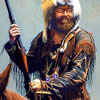
I know if i'm doing leters or anything on an uneven surface or need to twist a body to fit I use Skew to get the job done :)
The body I used for the transplant here was twisted all wrong so Skewgot the job done
Image
User avatar
torsten
Posts: 2366
Joined: Fri May 11, 2001 12:00 am
Location: 55414

Post by torsten »

WTF ???

I can't seem to find the &nbsp Image - Adjustments - Boob Creator option on the menu.
The &nbspFilter - Artistic - Make Shirt Wet is missing too.

Nice job there.
I'm thinking Liquify might work for body shaping too.
Chris
Posts: 13515
Joined: Sat Jan 06, 2001 12:00 am
Location: Northern AB, CA, turn left Alaska, Turn right, Yukon Territoies

Post by Chris »

Liquify would distort the picture too much, where Skew just twists the image.
Liquify is like the smudge tool in many respects
Chris
Posts: 13515
Joined: Sat Jan 06, 2001 12:00 am
Location: Northern AB, CA, turn left Alaska, Turn right, Yukon Territoies

Post by Chris »

Originally posted by torsten
WTF ???

I can't seem to find the &nbsp Image - Adjustments - Boob Creator option on the menu.
The &nbspFilter - Artistic - Make Shirt Wet is missing too.
You mean you didnt get the Wet Tee Shirt Night Add-on pack???
I thought it was packaged with PS :)
User avatar
OxBlooD
Posts: 3009
Joined: Sat Jun 17, 2000 12:00 am
Location: New Jersey

Post by OxBlooD »

Image
Ghosthunter
SG VIP
Posts: 18183
Joined: Tue Mar 06, 2001 12:00 pm

Post by Ghosthunter »

Thanks for all those links. I have bookmarked them.
CableDude
SG VIP
Posts: 26801
Joined: Sat Jun 02, 2001 12:00 pm

Post by CableDude »

Originally posted by torsten
I can't seem to find the &nbsp Image - Adjustments - Boob Creator option on the menu.

:rotfl:
User avatar
tHE_0ne
Posts: 5870
Joined: Thu Jan 10, 2002 3:10 pm
Location: Williamsburg/Norfolk VA

Post by tHE_0ne »

I need Photoshop!

so much cool stuff
Post Reply